02 · tool · Operations dashboard
Ops Os
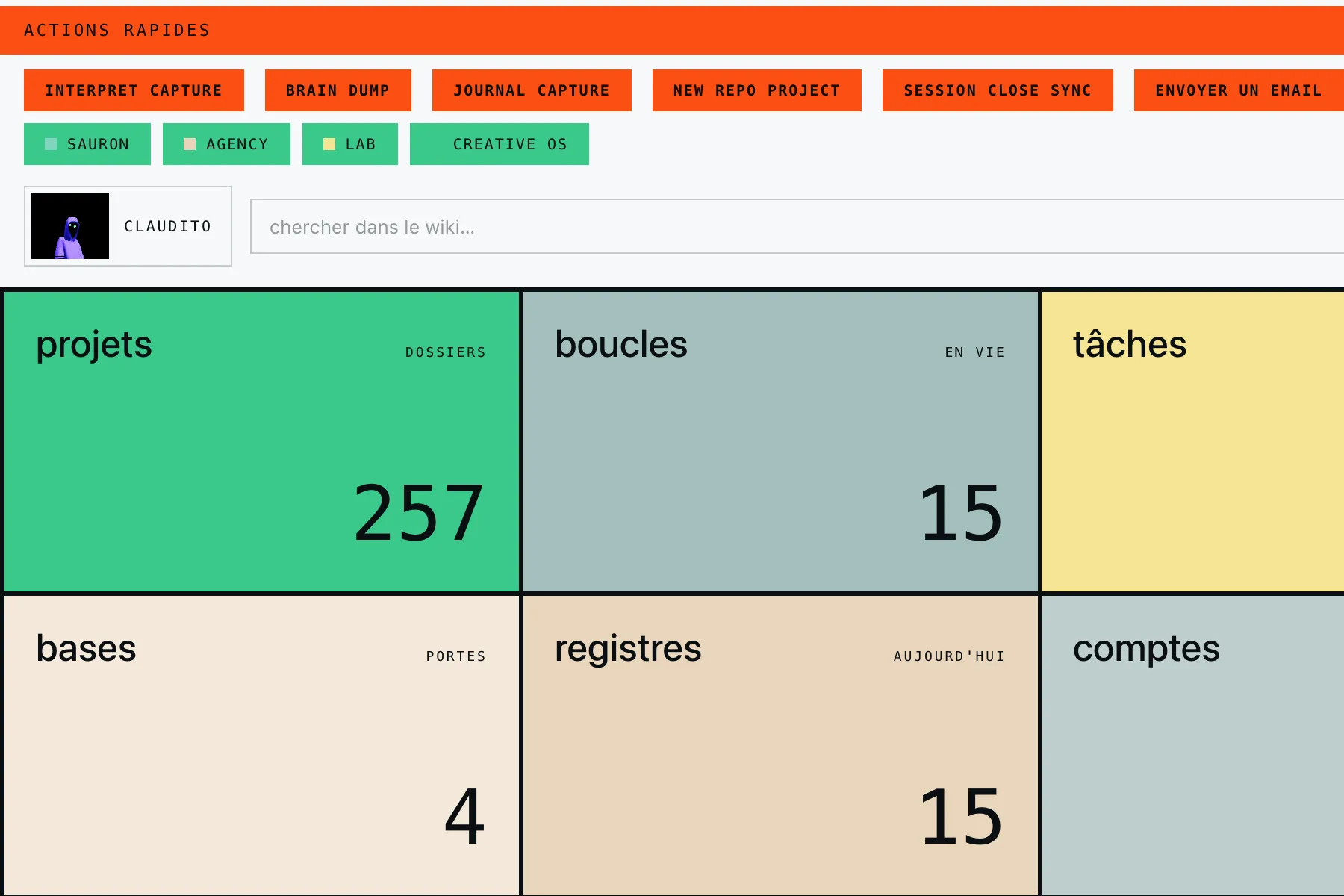
Everything you run lives in ten tabs. The only thing that sees all of it is you, and you are the one who gets interrupted.
One screen for everything you run, and it interrupts you only on a call it cannot make for you.
- Start any job from one screen
- Search everything you have ever written
- Watch every loop that is running now
It was built for me first and it runs on my own machine, which is why I trust the numbers on it.
01
What the tool does today
One home screen: what matters now, what you can fire now, one search bar, and seven covers. Everything opens one level deep, and closes back onto the same screen.
One screen, four objects
Your priorities, in the order you put them, never an order the tool decided. A row of verbs for what can go right now. One bar for search and mail. Then the covers, read as one shape.
Seven covers, two natures
Five open onto content and their own buttons: projects, loops, tasks, workflows, registers. Two are doors outward and nothing more: bases and accounts. Nothing is ever copied in from either.
Quick actions, nothing but verbs
One row, and every item on it is something you can do right now: interpret a capture, dump to the journal, close a session, send an email, add to the agenda, run the daily review. Never a log of what already happened.
Find what you wrote
One line searches the whole personal wiki. It matches on meaning, not on the exact word you typed, so a half-remembered note still comes back.
Loops, watched live
The loops cover opens onto everything running right now. Pause one, resume it, or run it on the spot, without leaving the screen.
Blockers closed on the spot
A blocker clears in one click. A decision blocker asks for a typed note before it closes. Snooze pushes it three days out, and nothing is ever deleted.
02
How it works
One process on the machine, read every four seconds. One screen, one level deep, and always a way back.
- 01
The local process
One process on the machine, reachable from that machine and nowhere else.
- 02
Screen one
Priorities, quick actions, the command bar, seven covers. Nothing else.
- 03
Open a cover
One click. It fills the screen, one single level, never a window inside a window.
- 04
Act inside
Pause a loop, clear a blocker, fire an action. Each button talks straight to the process.
- 05
Back
One button, or escape, and you are on screen one again. Offline, the same screen still renders, read only, every button off.
03
How it can grow
V1 is the home screen that already works. V2 is the feeds being wired in, one at a time.
V1 · the home screen
Seven covers, quick actions, search across the wiki, loops and blockers watched and handled live, all of it on the machine and nowhere else.
V2 · the feeds still turning on
The agenda behind its own sign-in, tasks mirrored from Notion. Each panel lights up the day its feed exists, rather than everything waiting for everything.